Urovo K329 Mobile Printer vs Zebra ZQ630 — Compare specs and alternatives
Side-by-side comparison of the Urovo K329 Mobile Printer (stocked by IO Resource) against the Zebra ZQ630.
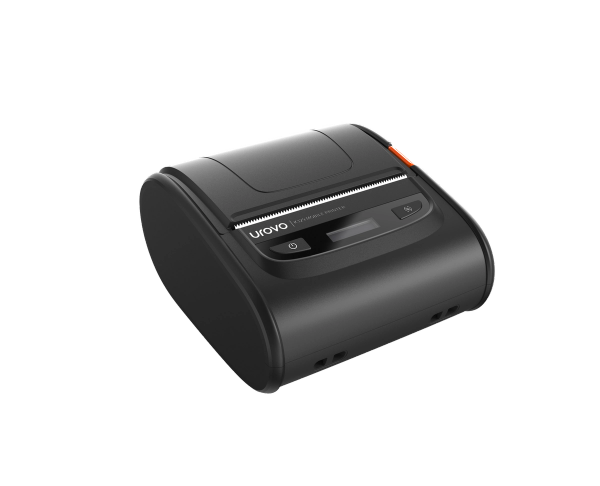
Urovo
K329 Mobile Printer
2-3 inch portable mobile thermal receipt and label printer. Bluetooth 4.2 with NFC quick-pair, 120 mm/s print speed and long-lasting battery for retail, transport and field use.
View full specsarrow_forward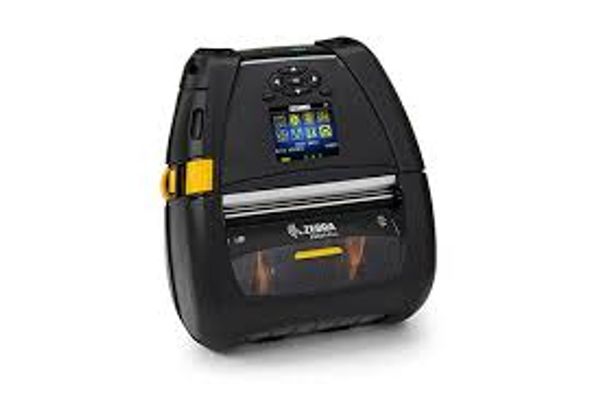
Zebra Technologies
Zebra ZQ630
4-inch mobile label printer. Bluetooth and Wi-Fi.
View full specsarrow_forwardSide by side
| Spec | Urovo K329 Mobile Printer | Zebra ZQ630 |
|---|---|---|
| Media width (not print width) | 42-80 mm | 51-112 mm linered; 51-104 mm linerless |
| Resolution | 203 dpi | 203 dpi |
| Manufacturer maximum print speed | Up to 120 mm/s | Up to 115 mm/s |
| Published weight | 450 g | 1.1 kg with battery |
Media width (not print width)
- Urovo K329 Mobile Printer
- 42-80 mm
- Zebra ZQ630
- 51-112 mm linered; 51-104 mm linerless
Resolution
- Urovo K329 Mobile Printer
- 203 dpi
- Zebra ZQ630
- 203 dpi
Manufacturer maximum print speed
- Urovo K329 Mobile Printer
- Up to 120 mm/s
- Zebra ZQ630
- Up to 115 mm/s
Published weight
- Urovo K329 Mobile Printer
- 450 g
- Zebra ZQ630
- 1.1 kg with battery
Start with the label
Before comparing portable printers, specify the label or receipt that has to come out of the device. Urovo lists the K329 as a direct-thermal printer supporting media from 42 to 80 mm wide. Check the required printed area, roll size and material with the supplier; paper width and usable print width are different measurements.
Test the existing print workflow
Give the proposed supplier a sample label and the application that produces it. Test alignment, barcode readability, reconnecting after sleep and changing rolls. If the project replaces an existing ZQ630 fleet, include the exact original model and current accessories. The newer ZQ630 Plus specification should not be used as evidence for every original ZQ630 device.
Compare an operational package
Ask which connection options are fitted to the quoted printer; Urovo describes Wi-Fi as optional on the K329. Confirm application and driver compatibility rather than assuming a shared connection method makes printers interchangeable. Include charging, carrying accessories, consumables and support in the quotation. For a UK or Ireland rollout, request current availability and the proposed repair process, then evaluate a representative printing workload before committing to a fleet.
Specification references checked 10 September 2026. Figures describe manufacturer-listed models and options, not confirmed stock configurations. Ask us to confirm the exact SKU, availability and support terms for your project.
Manufacturer specification source
Manufacturer specification source (Zebra document, distributor-hosted copy)
Product names, logos and trademarks are the property of their respective owners, including Zebra Technologies Corporation, and are used for identification and comparison purposes only. Refer to the sources and any testing notes in each guide, and confirm the exact configuration and current specifications with our team before ordering. Comparison content does not imply manufacturer endorsement.
Found this useful? Get new guides and industry insights in your inbox.
Sign upPlan your next deployment with IOR
Send us your application, quantities and site requirements. We can help evaluate the recommended alternative and scope your rollout.