Urovo K419 Mobile Printer vs Zebra ZQ630 — Compare specs and alternatives
Side-by-side comparison of the Urovo K419 Mobile Printer (stocked by IO Resource) against the Zebra ZQ630.
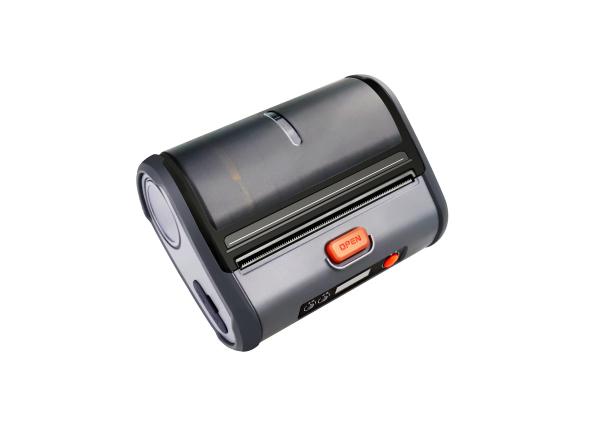
Urovo
K419 Mobile Printer
4-inch industrial-quality mobile thermal label printer. Adjustable paper width, Bluetooth 4.2 and OLED status display for retail, logistics and field use.
View full specsarrow_forward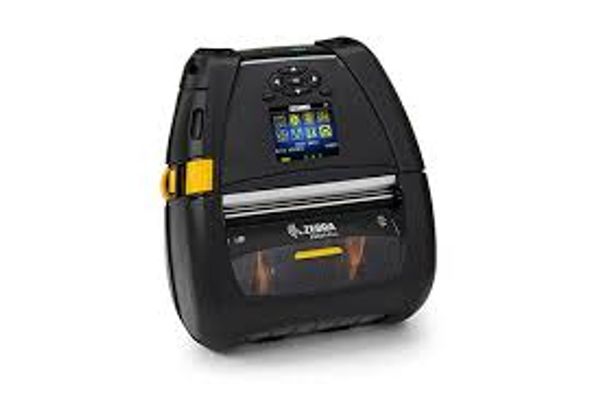
Zebra Technologies
Zebra ZQ630
4-inch mobile label printer. Bluetooth and Wi-Fi.
View full specsarrow_forwardSide by side
| Spec | Urovo K419 Mobile Printer | Zebra ZQ630 |
|---|---|---|
| Media width (not print width) | 46-110 mm | 51-112 mm linered; 51-104 mm linerless |
| Resolution | 203 dpi | 203 dpi |
| Manufacturer maximum print speed | 90 mm/s | Up to 115 mm/s |
| Published weight | 507 g with battery | 1.1 kg with battery |
Media width (not print width)
- Urovo K419 Mobile Printer
- 46-110 mm
- Zebra ZQ630
- 51-112 mm linered; 51-104 mm linerless
Resolution
- Urovo K419 Mobile Printer
- 203 dpi
- Zebra ZQ630
- 203 dpi
Manufacturer maximum print speed
- Urovo K419 Mobile Printer
- 90 mm/s
- Zebra ZQ630
- Up to 115 mm/s
Published weight
- Urovo K419 Mobile Printer
- 507 g with battery
- Zebra ZQ630
- 1.1 kg with battery
Match the output to the device
The first requirement is a correctly printed label from the application the customer already uses. Urovo’s K419 specification lists direct-thermal printing and a supported media-width range of 46 to 110 mm. Confirm usable print width, label sensing and roll dimensions for the exact configuration. Do not infer them from the product name or an approximate paper-size description.
Validate replacement compatibility
For an existing Zebra installation, identify the original ZQ630 model, print language, label templates and charging equipment. A compatible wireless connection alone does not establish that templates or accessories will transfer. Ask the integrator to print representative labels and check barcode readability with the customer’s scanners. Keep the ZQ630 and ZQ630 Plus specifications distinct when comparing options.
Budget for a working shift
Standby time is not the same as continuous printing endurance. Evaluate the proposed printer with the actual label frequency, wireless use and charging arrangements. Include spare batteries or charging equipment only where supported by the quoted configuration. Send the label sample, application, quantities and delivery locations with a trade quote request. Confirm availability, warranty terms and repair handling before agreeing the rollout.
Specification references checked 10 September 2026. Figures describe manufacturer-listed models and options, not confirmed stock configurations. Ask us to confirm the exact SKU, availability and support terms for your project.
Manufacturer specification source
Manufacturer specification source (Zebra document, distributor-hosted copy)
Product names, logos and trademarks are the property of their respective owners, including Zebra Technologies Corporation, and are used for identification and comparison purposes only. Refer to the sources and any testing notes in each guide, and confirm the exact configuration and current specifications with our team before ordering. Comparison content does not imply manufacturer endorsement.
Found this useful? Get new guides and industry insights in your inbox.
Sign upPlan your next deployment with IOR
Send us your application, quantities and site requirements. We can help evaluate the recommended alternative and scope your rollout.