Urovo RT40S vs Zebra TC22/TC27 — Compare specs and alternatives
Side-by-side comparison of the Urovo RT40S (stocked by IO Resource) against the Zebra TC22/TC27.
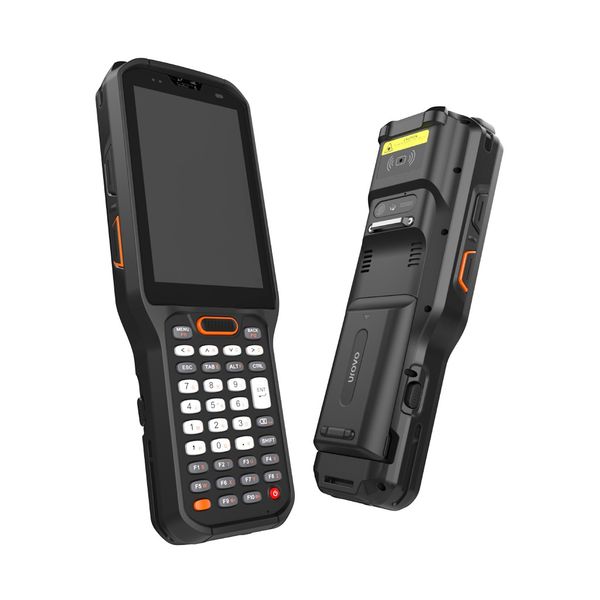
Urovo
RT40S
Heavy-duty industrial handheld with long-range scanning to 15 m, a hot-swap 5,200 mAh battery, and an optional −30 °C cold-chain variant. Built for distribution centres, freezers, and yard operations.
View full specsarrow_forward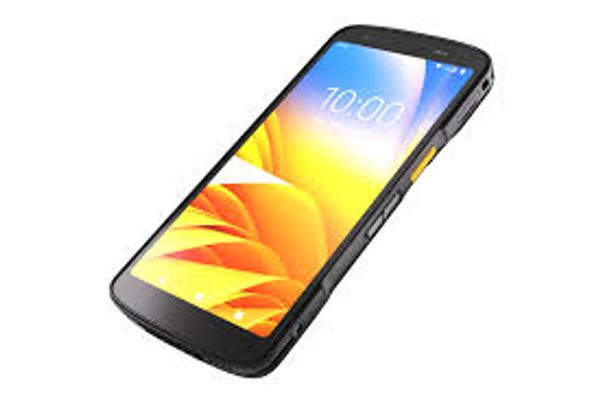
Zebra Technologies
Zebra TC22/TC27
Enterprise Android handheld. TC22 indoor; TC27 IP68 with cellular.
View full specsarrow_forwardSide by side
| Spec | Urovo RT40S | Zebra TC22/TC27 |
|---|---|---|
| Display | 4-inch (480 x 800) | 6-inch FHD+ (1080 x 2160) |
| Sealing | IP68 | IP68 and IP65 |
| Operating temperature | Standard: -20 to +50 C; cold-chain version: -30 to +50 C. Confirm exact supplied SKU. | -10 to +50 C |
| Network selection | 4G/3G/2G listed by manufacturer; confirm configuration | TC22: WLAN/WPAN; TC27: adds WWAN |
Display
- Urovo RT40S
- 4-inch (480 x 800)
- Zebra TC22/TC27
- 6-inch FHD+ (1080 x 2160)
Sealing
- Urovo RT40S
- IP68
- Zebra TC22/TC27
- IP68 and IP65
Operating temperature
- Urovo RT40S
- Standard: -20 to +50 C; cold-chain version: -30 to +50 C. Confirm exact supplied SKU.
- Zebra TC22/TC27
- -10 to +50 C
Network selection
- Urovo RT40S
- 4G/3G/2G listed by manufacturer; confirm configuration
- Zebra TC22/TC27
- TC22: WLAN/WPAN; TC27: adds WWAN
Define the working environment first
A warehouse handheld and a general touchscreen device should be compared against the actual job: scanning distance, operator input, handling, connectivity and working conditions. Include the real labels and application in an evaluation, rather than assuming that either model’s headline specifications settle the decision.
Keep standard and cold-chain configurations separate
Urovo’s RT40S specification distinguishes the standard version from a cold-chain version. A temperature statement about the product family does not confirm which version is included in a particular quotation. For freezer projects, request written confirmation against the supplied SKU, including operating conditions and any requirements for moving between cold and ambient areas. Do not assume that an ingress-protection rating establishes cold-chain suitability.
Plan charging, support and connectivity
Map the proposed device to a full shift: where it is charged, how spare devices are managed, where connectivity is needed and how a failed unit is replaced. Test the grip and input method with operators. Ask for the supported software configuration and support term in writing. For UK and Ireland projects, send the workflow, application, quantity and site conditions with the quote request so the proposal can identify the appropriate configuration and accessories.
Specification references checked 10 September 2026. Figures describe manufacturer-listed models and options, not confirmed stock configurations. Ask us to confirm the exact SKU, availability and support terms for your project.
Product names, logos and trademarks are the property of their respective owners, including Zebra Technologies Corporation, and are used for identification and comparison purposes only. Refer to the sources and any testing notes in each guide, and confirm the exact configuration and current specifications with our team before ordering. Comparison content does not imply manufacturer endorsement.
Found this useful? Get new guides and industry insights in your inbox.
Sign upPlan your next deployment with IOR
Send us your application, quantities and site requirements. We can help evaluate the recommended alternative and scope your rollout.